 Pdf Tools
PDF app for Android: merge, compress, sign and remove passwords offline
Pdf Tools compresses, merges, splits, signs and protects PDFs right on your Android device. It is free, has no ads, needs no account and works offline.
- Free
- No ads
- No sign-up
- Works offline
- No data collected
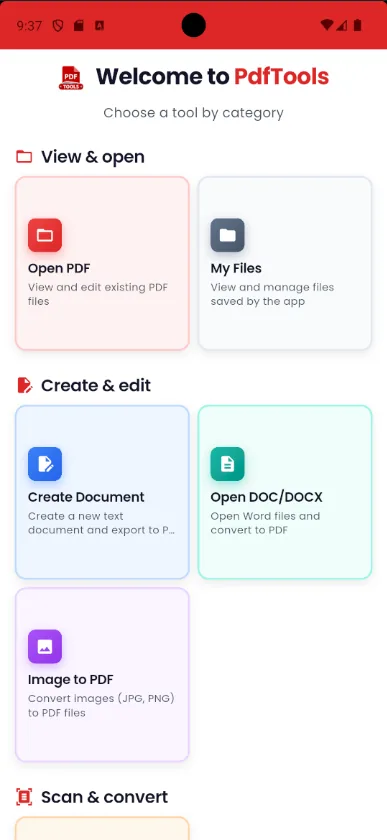
What you can do with Pdf Tools
All the tools in one app. Tap one to see how it works.
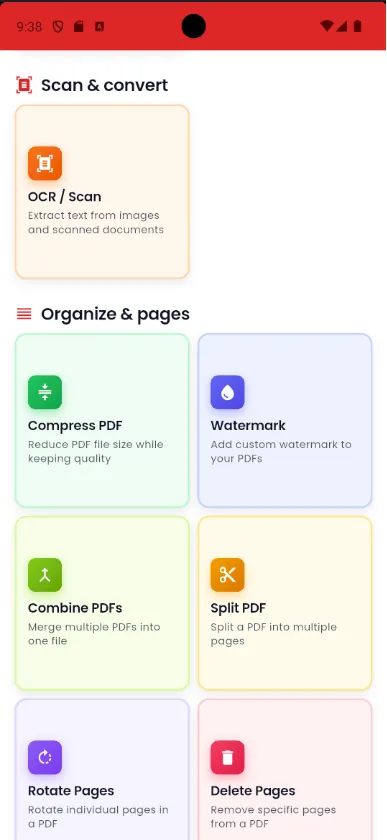
Compress PDF
Shrink scanned and photo-heavy PDFs to fit email and WhatsApp limits.
Merge PDF
Combine several PDFs into one file, in the order you select them.
Split PDF
Split a PDF by page, every N pages or by custom ranges.
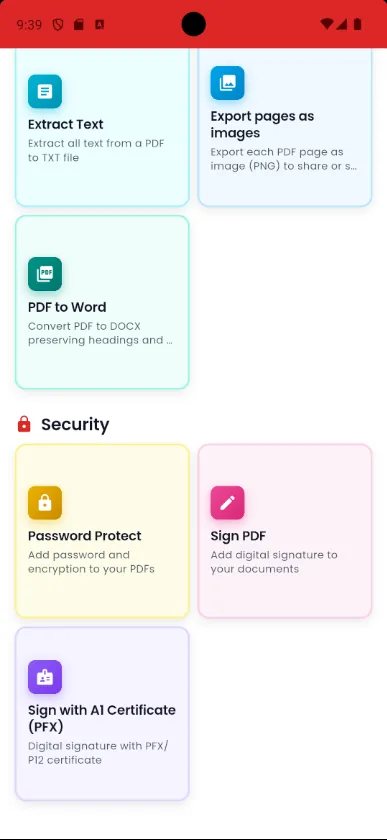
Sign PDF
Draw your signature with your finger and place it on the document.
Sign with a digital certificate
Digitally sign with a .pfx or .p12 certificate on your phone.
Remove PDF password
Remove the password from a PDF you can open, such as a bank statement or bill.
Add a password to a PDF
Protect a PDF with a password before sending it.
PDF to Word
Turn the text of a PDF into an editable .docx file.
Extract text from PDF
See all the text in a PDF so you can select and copy it.
OCR: image to text
Snap a document and turn the picture into text.
PDF to image
Save each page of a PDF as a PNG image.
Image to PDF
Turn photos from your gallery or camera into a PDF.
Create PDF
Write with formatting, tables and photos, then export as PDF.
Rotate PDF
Straighten pages that are sideways or upside down.
Delete, extract and reorder pages
Delete, extract or reorder pages using thumbnails.
Watermark
Stamp CONFIDENTIAL, COPY or any text on every page.
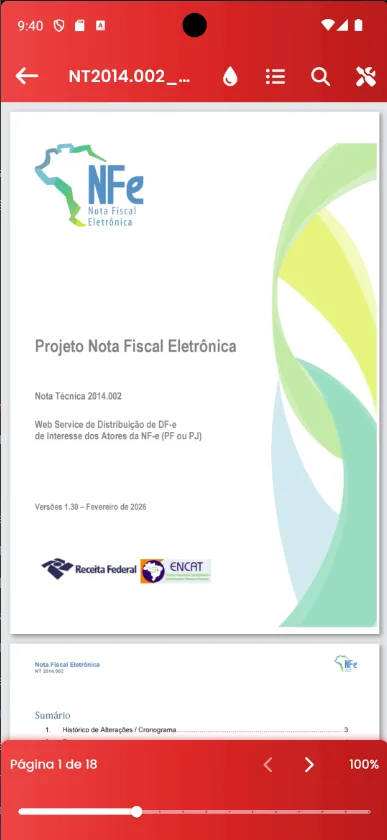
PDF reader
Open PDFs, even password-protected ones, search and read in reading mode.
Your documents stay with you
Nothing goes to a server
Online PDF sites ask you to upload your file. In Pdf Tools, compressing, merging, signing and converting happen on the phone itself. Ideal for IDs, payslips, contracts and bank statements.
No data collected
In the Data safety section on Google Play, the app declares that it collects and shares no data. There is no login, no ads and no tracking.
Made for phones
Open PDFs straight from WhatsApp, email or Downloads with Open with or Share. Screens work in portrait, landscape and on tablets.
A look inside the app
Frequently asked questions
Is Pdf Tools free?
Yes. The app is free, with no ads, no subscription and no sign-up.
Are my files uploaded to the internet?
No. The PDF tools run on the device, and the app declares on Google Play that it collects and shares no data.
Does it work offline?
Yes. Compress, merge, split, sign, password-protect, PDF to Word and OCR all work offline.
Is there an iPhone version?
Right now Pdf Tools is available for Android 7.0 or later on Google Play.
How do I remove a password from a PDF on my phone?
If you know the password, open the PDF in Pdf Tools and use Remove protection. The step-by-step guide is in Remove PDF password. The app does not recover forgotten passwords.
Can I sign a PDF with a digital certificate?
Yes. The app signs with a certificate file (.pfx or .p12) or with a certificate installed on Android.
Can Pdf Tools edit the text of an existing PDF?
No. The app opens, organizes, signs, protects and converts PDFs, but it does not change the original text. To write a new document, use the app's editor and export it as PDF.
Get Pdf Tools for free
No ads, no sign-up and no uploading your files to the internet.
Get it on Google Play