 Pdf Tools
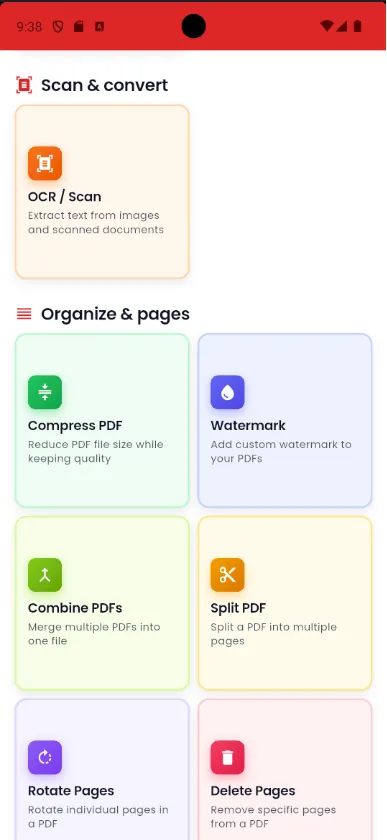
Add a watermark to a PDF on your phone
Sending a copy of a document and want to make its purpose clear? Pdf Tools writes a diagonal text watermark in semi-transparent gray on every page of the PDF.
People often use CONFIDENTIAL, COPY or something like "Only for the apartment rental", which makes misuse of the document harder.
Get it on Google Play
Free for Android 7.0 or later
When to use it
- You are sending a copy of your ID or passport to a landlord or a shop.
- You want to mark a document as CONFIDENTIAL or DRAFT.
- You need to state what a copy is for, such as "For rental application only".
How to do it, step by step
- Open Pdf Tools and tap Watermark.
- Pick the PDF.
- Type the watermark text.
- Save and share the watermarked PDF.
Why do it with Pdf Tools
- Marks every page at once
- Readable without hiding the content
- Works offline
- Free and ad-free
Phone app vs. PDF website
| Pdf Tools (app) | PDF websites, in general | |
|---|---|---|
| File upload | No: everything happens on the device | The file is uploaded to the site's server |
| Internet | Not needed | Needed for the whole process |
| Ads | None | Varies from site to site |
| Sign-up | Not required | Some require it for extra features |
| Usage limits | No daily limit | Many limit use on the free plan |
Good to know
The watermark is text, placed diagonally at a fixed size. Images or logos are not supported.
Frequently asked questions
Why add a watermark to a document?
It states what the copy is for, such as "Only for opening an account at bank X", and makes it harder to use the document for anything else.
Can I use a logo as a watermark?
No. Pdf Tools applies text watermarks.
Get Pdf Tools for free
No ads, no sign-up and no uploading your files to the internet.
Get it on Google Play