 Pdf Tools
Compress a PDF on your phone without uploading it to a website
PDF too big for email, WhatsApp or a portal with a tight upload limit? Pdf Tools reduces the file size on the Android device itself. Nothing is sent to a server, so it even works without internet.
Compression works best on PDFs with photos and on scanned documents such as IDs, receipts and signed contracts. The app saves each page as an optimized image, which usually shrinks the file a lot.
When to use it
- A university, job or government portal only accepts files of a few megabytes.
- A scanned PDF is too big to send on WhatsApp or attach to an email.
- You photographed your ID, passport and receipts with the camera and want lighter files.
- The document has personal data and you would rather not upload it to a website.
How to do it, step by step
- Install Pdf Tools for free from Google Play.
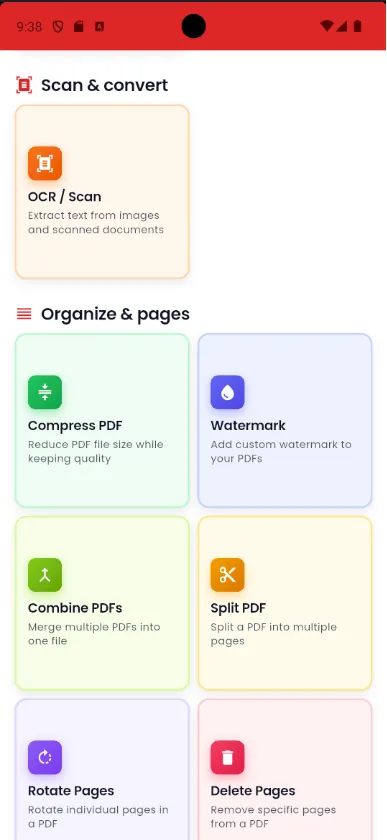
- Tap Compress PDF and pick the file, or open the PDF and use the tools menu.
- Wait a few seconds. The smaller file is saved in My Files.
- Share it by email or WhatsApp, or save it wherever you like.
Why do it with Pdf Tools
- The document never leaves your phone
- Works offline
- Free, no ads and no sign-up
- Files up to 300 KB are left as they are, since they are already small
Phone app vs. PDF website
| Pdf Tools (app) | PDF websites, in general | |
|---|---|---|
| File upload | No: everything happens on the device | The file is uploaded to the site's server |
| Internet | Not needed | Needed for the whole process |
| Ads | None | Varies from site to site |
| Sign-up | Not required | Some require it for extra features |
| Usage limits | No daily limit | Many limit use on the free plan |
Because pages become images, text in the compressed PDF is no longer selectable. Keep the original if you will need to copy or search the text later, or use Extract text from PDF before compressing.
Frequently asked questions
Is compressing PDFs in Pdf Tools free?
Yes. The app is free, has no ads and needs no account.
Is my file uploaded to a server?
No. Compression happens on the phone.
How much smaller will the file get?
It depends on the content. PDFs with photos and scanned pages usually get much smaller. Files up to 300 KB are not changed.
Does quality drop?
Pages are saved as images optimized for on-screen reading. For high-quality printing or copying text, use the original file.
Why did my PDF barely shrink?
Files up to 300 KB are left as they are, and text-only PDFs are already light, so they gain little. Compression works best on PDFs with photos and scanned pages.
Is the text still selectable after compressing?
No. Pages are saved as images. If you need the text, copy it with Extract text from PDF before compressing.
Can I compress a PDF I received on WhatsApp?
Yes. Tap the PDF in WhatsApp, choose Open with Pdf Tools and use Compress PDF in the tools menu.
Get Pdf Tools for free
No ads, no sign-up and no uploading your files to the internet.
Get it on Google Play