 Pdf Tools
Delete, extract and reorder PDF pages on your phone
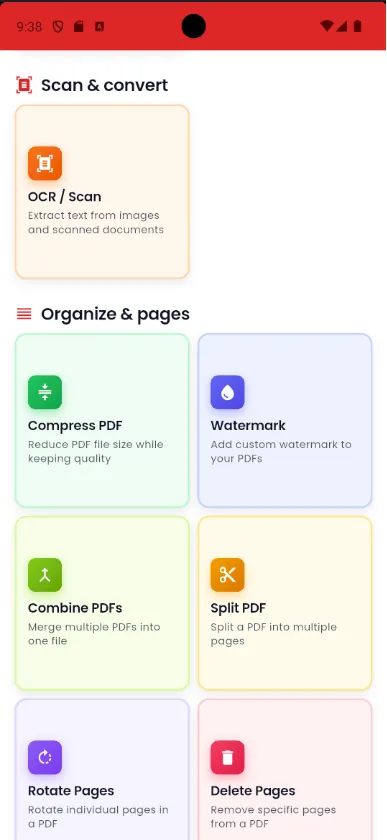
Blank page in the middle of a scan? A sheet out of order? In Pdf Tools you see the PDF's thumbnails and fix it with a few taps: mark pages to delete, choose pages to extract into a new file, or drag them into a new order.
Everything happens on the device and the result is saved as a new PDF.
Get it on Google Play
Free for Android 7.0 or later
When to use it
- A blank page ended up in the middle of a scan.
- You only need to send two pages of a long document.
- The pages are out of order after you merged the PDFs.
How to do it, step by step
- Open Pdf Tools and choose Delete Pages, Extract Pages or Reorder Pages.
- Pick the PDF.
- Tap thumbnails to mark pages, or drag them to reorder.
- Save the new PDF.
Why do it with Pdf Tools
- Visual selection with thumbnails
- Drag and drop to reorder
- No upload and no internet
- Free and ad-free
Phone app vs. PDF website
| Pdf Tools (app) | PDF websites, in general | |
|---|---|---|
| File upload | No: everything happens on the device | The file is uploaded to the site's server |
| Internet | Not needed | Needed for the whole process |
| Ads | None | Varies from site to site |
| Sign-up | Not required | Some require it for extra features |
| Usage limits | No daily limit | Many limit use on the free plan |
Good to know
To break the whole file into parts, use Split PDF, which splits by page, every N pages or by ranges.
Frequently asked questions
How do I delete a page from a PDF on my phone?
In Pdf Tools, tap Delete Pages, pick the PDF, mark the page and save.
How do I change the order of pages?
Use Reorder Pages and drag the thumbnails into place.
Get Pdf Tools for free
No ads, no sign-up and no uploading your files to the internet.
Get it on Google Play