 Pdf Tools
Sign a PDF on your phone with your finger or a digital certificate
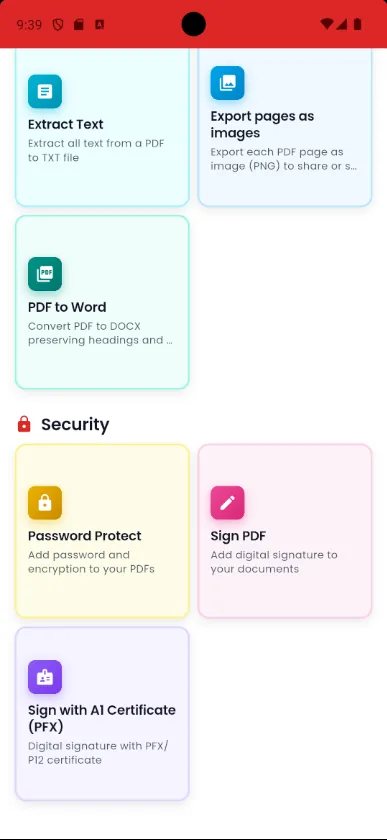
Got a contract, a proposal or a form to sign? With Pdf Tools you draw your signature on the screen, place it on the PDF and send back the signed file without printing anything.
When a document requires a digital signature, the same app signs with your certificate. Either way, the file and the signature stay on your phone.
When to use it
- You received a lease, a proposal or a consent form on WhatsApp or by email.
- Your school, landlord or HR department asked for a signed document back.
- There is no printer or scanner nearby.
- The document requires a digital signature: in that case, use Sign with a digital certificate.
How to do it, step by step
- Open the PDF in Pdf Tools, even straight from WhatsApp or email.
- In the tools menu, tap Sign PDF.
- Draw your signature with your finger and place it in the right spot.
- Save and share the signed document.
Why do it with Pdf Tools
- Sign without printing or scanning
- Digital certificate signing also available
- The document never goes through a server
- Free and ad-free
Phone app vs. PDF website
| Pdf Tools (app) | PDF websites, in general | |
|---|---|---|
| File upload | No: everything happens on the device | The file is uploaded to the site's server |
| Internet | Not needed | Needed for the whole process |
| Ads | None | Varies from site to site |
| Sign-up | Not required | Some require it for extra features |
| Usage limits | No daily limit | Many limit use on the free plan |
A drawn signature is an image of your signature on the document. It is fine for everyday paperwork but is not the same as a digital signature. For that, use Sign with a digital certificate.
Frequently asked questions
How do I sign a PDF on my phone?
Open the PDF in Pdf Tools, tap Sign PDF, draw your signature and place it on the document. Then save and share.
Is a drawn signature legally valid?
It is an image of your signature. Where a digital signature is required, use the certificate option.
Do I need internet to sign?
No. Signing happens on the device.
What is the difference between a drawn and a digital signature?
A drawn signature is an image placed on the page. A signature made with a .pfx certificate is cryptographic, is embedded in the file and appears in the signatures panel of readers such as Adobe Acrobat.
Can I sign a PDF that came by email?
Yes. Open the attachment with Pdf Tools, sign it and share it back from your email app.
Guides
More tools in the app
Get Pdf Tools for free
No ads, no sign-up and no uploading your files to the internet.
Get it on Google Play