 Pdf Tools
Add a password to a PDF on your phone
Before sending a payslip, a bank statement or a contract, lock the PDF with a password. Whoever receives it will need the password to open the file.
Protection is applied on the device itself, without uploading the document to any website. The protected file opens in any PDF reader, which asks for the password.
When to use it
- You are sending a payslip, a bank statement or a tax document by email or WhatsApp.
- The document contains an ID number, your address or bank details.
- You want to keep a copy of a document on your phone with an extra layer of protection.
How to do it, step by step
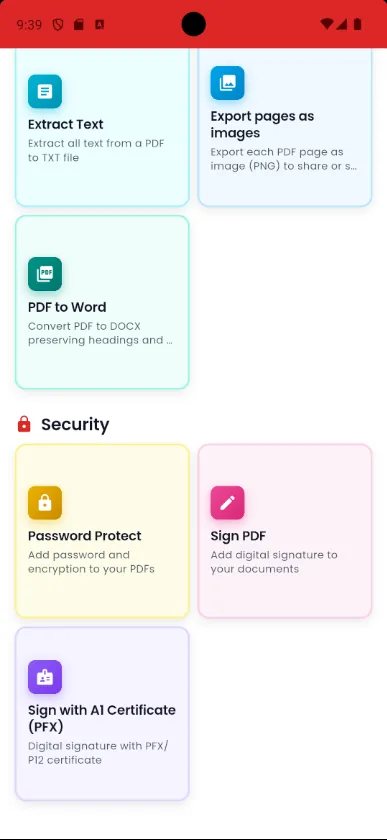
- Open Pdf Tools and tap Password Protect.
- Pick the PDF and type the password you want.
- Save. The protected file goes to the Protected folder in My Files.
- Send the password to the recipient through another channel, such as a phone call or a different chat.
Why do it with Pdf Tools
- Protect documents before sending them
- Opens in any PDF reader
- All on the device, no upload
- Free and ad-free
Phone app vs. PDF website
| Pdf Tools (app) | PDF websites, in general | |
|---|---|---|
| File upload | No: everything happens on the device | The file is uploaded to the site's server |
| Internet | Not needed | Needed for the whole process |
| Ads | None | Varies from site to site |
| Sign-up | Not required | Some require it for extra features |
| Usage limits | No daily limit | Many limit use on the free plan |
Protection uses standard PDF encryption (128-bit RC4), which opens in any reader but is not the strongest available. For very sensitive documents, also use a secure way to send them. To remove the password from your own file, see Remove PDF password.
Frequently asked questions
How do I put a password on a PDF on my phone?
In Pdf Tools, tap Password Protect, pick the file, type the password and save.
Will the protected PDF open in any reader?
Yes. Any PDF reader will ask for the password to open the file.
What kind of protection does the app use?
Standard PDF encryption, 128-bit RC4, which is compatible with all readers. It is not the strongest protection available.
I forgot the password I set. What now?
It cannot be recovered. Keep the password somewhere safe and, if you can, keep the original without a password.
Guides
- How to use a .pfx digital certificate on Android
- Bank statement PDF password: how to open it and remove it
More tools in the app
Get Pdf Tools for free
No ads, no sign-up and no uploading your files to the internet.
Get it on Google Play