 Pdf Tools
OCR on your phone: turn a photo of a document into text
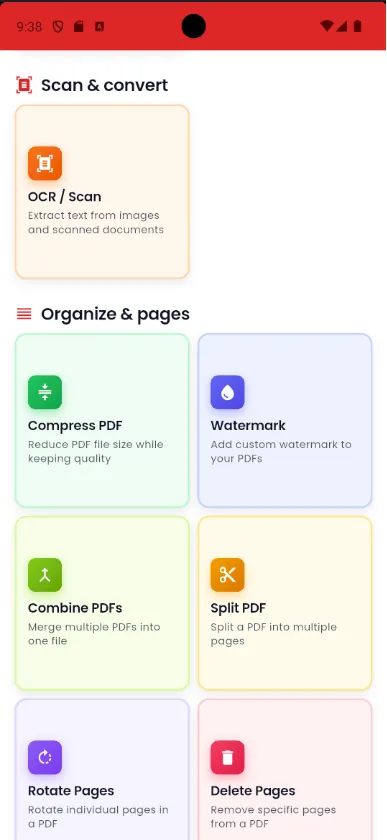
Take a photo of a page, a receipt or a whiteboard, or pick an image from your gallery. Pdf Tools recognizes the text on the device using Google ML Kit text recognition, without sending the image to the cloud.
Then choose: send the text to the editor to fix and export as PDF, or create a PDF of the image with searchable text.
When to use it
- You need to copy the text of a printed document without retyping it.
- You photographed a whiteboard, a poster or a book page and want the text to be editable.
- You want to turn a photo of a document into a searchable PDF.
How to do it, step by step
- Open Pdf Tools and tap OCR / Scan.
- Take the photo or pick an image from the gallery.
- Choose whether to extract the text or create a searchable PDF.
- Review the recognized text, then save or share.
Why do it with Pdf Tools
- Recognition happens on the device
- Works offline
- Editable text or searchable PDF
- Free and ad-free
Phone app vs. PDF website
| Pdf Tools (app) | PDF websites, in general | |
|---|---|---|
| File upload | No: everything happens on the device | The file is uploaded to the site's server |
| Internet | Not needed | Needed for the whole process |
| Ads | None | Varies from site to site |
| Sign-up | Not required | Some require it for extra features |
| Usage limits | No daily limit | Many limit use on the free plan |
OCR reads Latin-script languages such as English, Spanish and Portuguese, one image at a time. It does not read scanned PDFs directly: use PDF to image first, then run OCR on the image.
Frequently asked questions
How do I copy text from a photo on my phone?
In Pdf Tools, tap OCR, take the photo or pick the image and choose to extract the text. It opens in the editor, where you can fix, copy and export it.
Does OCR need internet?
No. Recognition runs on the device.
Does it read handwriting?
It is designed for printed text. Very neat handwriting may partly work, but it is not the focus.
Can it read several pages at once?
No. OCR processes one image at a time.
Which languages does OCR recognize?
Latin-script languages such as English, Spanish, French and Portuguese. It works best with printed text and a well-lit photo.
Get Pdf Tools for free
No ads, no sign-up and no uploading your files to the internet.
Get it on Google Play