 Pdf Tools
Split a PDF into several files on your phone
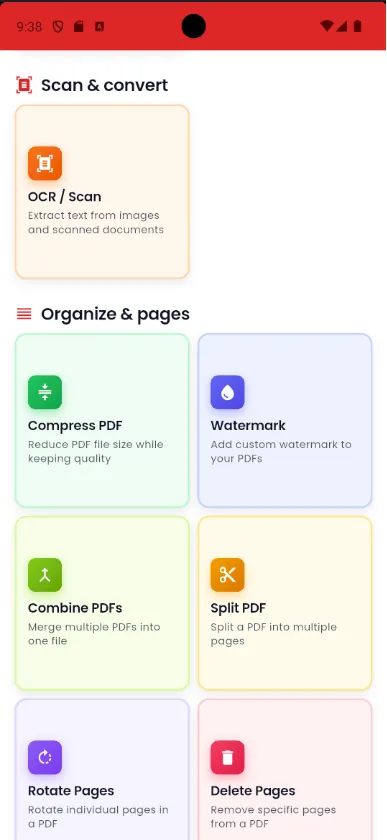
Pdf Tools splits a PDF three ways: one page per file, every N pages (for example, every two pages) or by the ranges you enter, such as 1-3 and 4-10.
It is handy for separating documents scanned in one go, sending only the chapter that matters or breaking up a file that is over an upload limit.
When to use it
- You scanned several documents at once and need one file for each.
- You want to send only the chapter or the pages that matter.
- The file is over an upload limit and has to go in parts.
How to do it, step by step
- Open Pdf Tools and tap Split PDF.
- Pick the file.
- Choose the mode: one page per file, every N pages or custom ranges.
- Confirm. The new PDFs are saved on the device, ready to share.
Why do it with Pdf Tools
- Three ways to split
- No uploading to websites
- Works offline
- Free and ad-free
Phone app vs. PDF website
| Pdf Tools (app) | PDF websites, in general | |
|---|---|---|
| File upload | No: everything happens on the device | The file is uploaded to the site's server |
| Internet | Not needed | Needed for the whole process |
| Ads | None | Varies from site to site |
| Sign-up | Not required | Some require it for extra features |
| Usage limits | No daily limit | Many limit use on the free plan |
To take out just a few pages without splitting the whole file, use Extract Pages and choose from the thumbnails.
Frequently asked questions
How do I separate one page from a PDF?
Use Extract Pages and tap the page thumbnail, or split by range and enter only that page.
Can I split a PDF every two pages?
Yes. Choose the every N pages mode and enter 2.
Is the original PDF changed?
No. The app creates new files and keeps the original.
Does splitting a PDF reduce its size?
Each part is smaller because it has fewer pages. To reduce the weight of each page, use Compress PDF.
Get Pdf Tools for free
No ads, no sign-up and no uploading your files to the internet.
Get it on Google Play