 Pdf Tools
Create a PDF on your phone: write, format and export
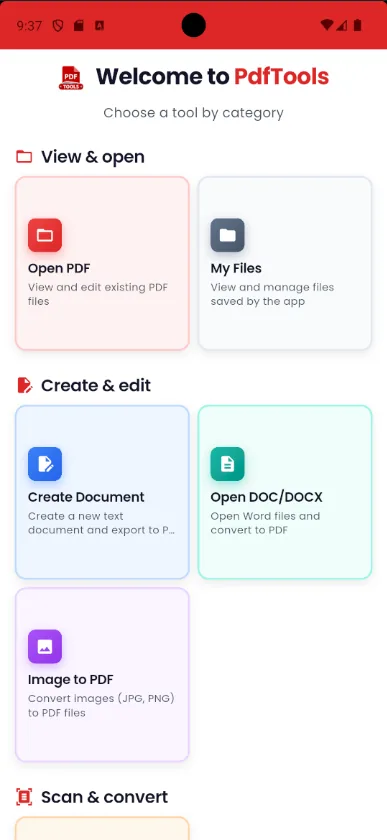
The Pdf Tools editor works like a word processor: bold, lists, headings, tables, links and images from your gallery or camera. When you are done, export as PDF or send it straight to a printer.
It is a quick way to put together a quote, a letter, a receipt or a report without a computer. To turn photos into a PDF, use Image to PDF: insert the images into the document and export.
Get it on Google Play
Free for Android 7.0 or later
When to use it
- Put together a quote, a receipt or a letter without a computer.
- Build a report with photos taken on the spot.
- Turn notes into a PDF you can send.
How to do it, step by step
- Open Pdf Tools and tap Create Document.
- Write and format the text, and insert tables and images.
- Save it to continue later, if you like.
- Export as PDF or print.
Why do it with Pdf Tools
- Editor with formatting, tables and images
- Exports PDF and prints
- Photos from camera or gallery
- Works offline
Phone app vs. PDF website
| Pdf Tools (app) | PDF websites, in general | |
|---|---|---|
| File upload | No: everything happens on the device | The file is uploaded to the site's server |
| Internet | Not needed | Needed for the whole process |
| Ads | None | Varies from site to site |
| Sign-up | Not required | Some require it for extra features |
| Usage limits | No daily limit | Many limit use on the free plan |
Good to know
Documents are saved in the app's own format so you can edit them later. The PDF is created when you export.
Frequently asked questions
How do I turn a photo into a PDF on my phone?
Create a document in Pdf Tools, insert the photos from the gallery or camera and export as PDF.
Can I print directly from the app?
Yes. The editor sends the document to a printer or to Android's Save as PDF.
Get Pdf Tools for free
No ads, no sign-up and no uploading your files to the internet.
Get it on Google Play