 Pdf Tools
Remove a PDF password on your phone, without uploading the file
Credit card bills, bank statements and payslips often arrive password-protected. If you know the password, Pdf Tools creates an unprotected copy, so you do not have to type it every time you open the file.
The password is removed on the phone. Unlike websites that unlock PDFs, the file with your financial details never leaves the device.
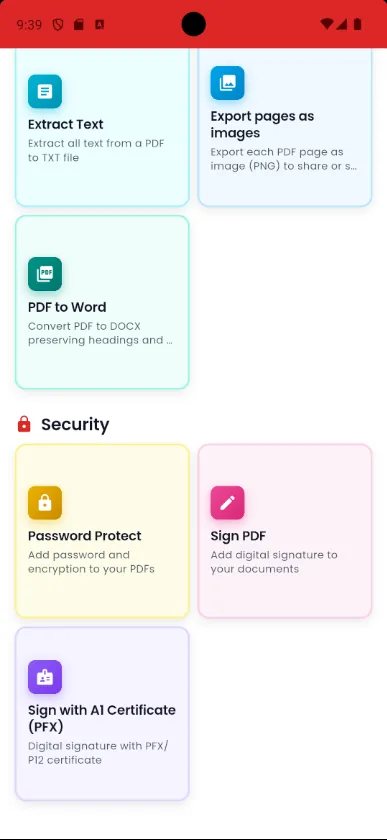
When to use it
- Your card bill or bank statement asks for the password every time you open it.
- You need to attach a payslip to an application that does not accept password-protected PDFs.
- You want to combine several statements into one file with Merge PDF, and the password gets in the way.
- You do not want to upload bank documents to third-party websites.
How to do it, step by step
- Tap the protected PDF (in email, WhatsApp or Downloads) and choose Open with Pdf Tools.
- Enter the password the sender gave you.
- In the tools menu, tap Remove protection and confirm the password.
- Save the copy without a password and use it as you like.
Why do it with Pdf Tools
- No uploading financial data to websites
- Works offline
- Keeps the original file
- Free and ad-free
Phone app vs. PDF website
| Pdf Tools (app) | PDF websites, in general | |
|---|---|---|
| File upload | No: everything happens on the device | The file is uploaded to the site's server |
| Internet | Not needed | Needed for the whole process |
| Ads | None | Varies from site to site |
| Sign-up | Not required | Some require it for extra features |
| Usage limits | No daily limit | Many limit use on the free plan |
Pdf Tools does not crack or recover passwords: you need to know the current password. For bills and statements, the sender usually explains it in the email. See tips in Bank statement PDF password: how to open it and remove it.
Frequently asked questions
How do I remove the password from a bank statement or bill PDF?
Open the PDF in Pdf Tools with the password the issuer gave you and use Remove protection. The app saves a copy without a password.
Can the app recover a forgotten password?
No. To remove the protection you need to know the current password.
What is the password for my bank statement?
It depends on the issuer. Many use part of the account holder's personal data, such as digits of an ID number or the date of birth. Check the issuer's email or website. More details in Bank statement PDF password: how to open it and remove it.
Do I need internet?
No. The password is removed on the device.
Does the original file keep its password?
Yes. The app creates an unprotected copy and does not change the original.
Guides
More tools in the app
Get Pdf Tools for free
No ads, no sign-up and no uploading your files to the internet.
Get it on Google Play