 Pdf Tools
Convert PDF to Word (DOCX) on your phone
Pdf Tools extracts the text of a PDF and builds a .docx file that opens in Word, Google Docs or WPS for editing. The conversion runs on the device, without uploading the document to any website.
It also works the other way around: open a .docx file in the app and export its text as PDF. And if you only need a passage, Extract Text shows all of the PDF's text so you can select and copy it.
When to use it
- You need to reuse the text of a PDF in a new document.
- You received a template as a PDF and want to edit its content in Word or Google Docs.
- You want to fix a text without retyping all of it.
How to do it, step by step
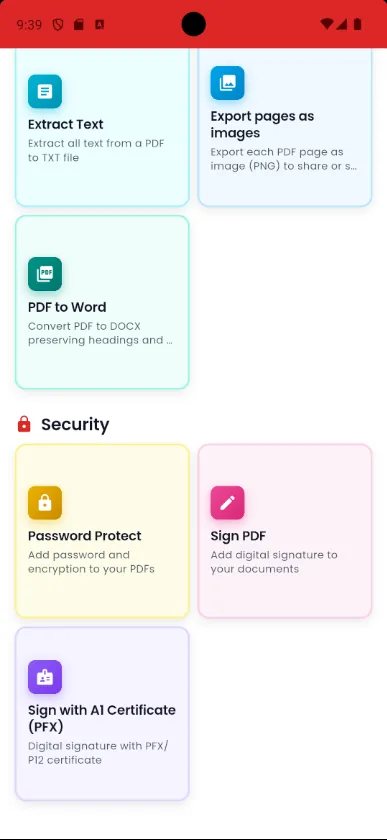
- Open Pdf Tools and tap PDF to Word.
- Pick the PDF.
- Wait for the conversion. The app detects headings by font size.
- Open the .docx in your favorite editor or share it.
Why do it with Pdf Tools
- Creates a .docx that opens in Word and Google Docs
- Keeps headings when it can detect them
- No upload and no internet needed
- Free and ad-free
Phone app vs. PDF website
| Pdf Tools (app) | PDF websites, in general | |
|---|---|---|
| File upload | No: everything happens on the device | The file is uploaded to the site's server |
| Internet | Not needed | Needed for the whole process |
| Ads | None | Varies from site to site |
| Sign-up | Not required | Some require it for extra features |
| Usage limits | No daily limit | Many limit use on the free plan |
The conversion carries over the text. Images, tables and the original layout are not copied. Scanned PDFs have no text: for those, use PDF to image and then OCR: image to text.
Frequently asked questions
Will the Word file look exactly like the PDF?
Text and headings go into Word, but images, tables and layout do not. It is ideal for reusing the content.
Can I convert Word to PDF too?
Yes. Open the .docx file in Pdf Tools and export it as PDF. The text is kept, but Word formatting and images are not.
Does it work with scanned PDFs?
No, because a scanned PDF is just images. Use PDF to image, then run OCR on the image to get the text.
Get Pdf Tools for free
No ads, no sign-up and no uploading your files to the internet.
Get it on Google Play