 Pdf Tools
Merge PDF files on your phone: several files into one
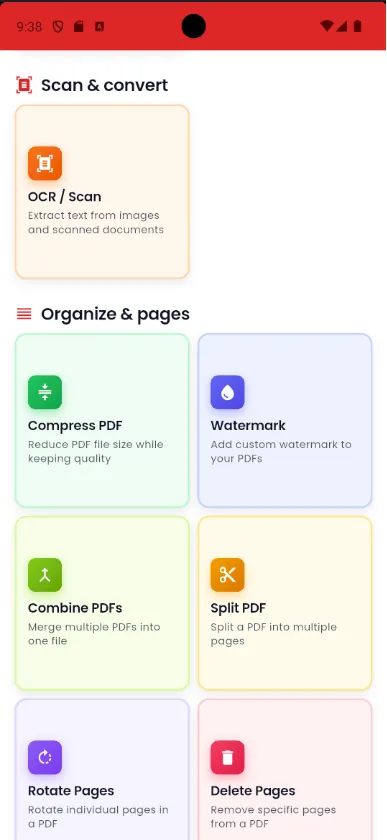
Need to send your ID, proof of address and payslip as a single file? In Pdf Tools you pick the PDFs and the app combines them into one new document.
Everything happens on the phone. Documents with personal data never pass through a third-party website.
When to use it
- An application asks for your ID, proof of address and transcript in a single PDF.
- You received the pages of a contract as separate files.
- You want to send several invoices or receipts as one attachment.
- You scanned a document in parts and need the complete file.
How to do it, step by step
- Open Pdf Tools and tap Combine PDFs.
- Select the files in the order they should appear.
- Check the list and remove anything added by mistake.
- Tap combine, then save or share the single PDF.
Why do it with Pdf Tools
- Merges several PDFs at once
- No upload, ideal for personal documents
- Works offline
- Free, with no app watermark on the result
Phone app vs. PDF website
| Pdf Tools (app) | PDF websites, in general | |
|---|---|---|
| File upload | No: everything happens on the device | The file is uploaded to the site's server |
| Internet | Not needed | Needed for the whole process |
| Ads | None | Varies from site to site |
| Sign-up | Not required | Some require it for extra features |
| Usage limits | No daily limit | Many limit use on the free plan |
If the final order is not quite right, use Reorder Pages and drag each page into place.
Frequently asked questions
How do I merge two PDFs into one on my phone?
In Pdf Tools, tap Combine PDFs, select both files and confirm. The app creates a new PDF with the pages of both.
Do I need internet to merge PDFs?
No. Merging happens on the device.
Will the result have a watermark?
No. Pdf Tools adds no watermark or advertising to the result.
Can I change the order of the files?
Select the files in the order you want them. If you need to adjust it afterwards, use Reorder Pages on the final PDF.
Are the original files deleted?
No. The app creates a new PDF and keeps the originals.
Guides
More tools in the app
Get Pdf Tools for free
No ads, no sign-up and no uploading your files to the internet.
Get it on Google Play