 Pdf Tools
Image to PDF: turn photos into a PDF on your phone
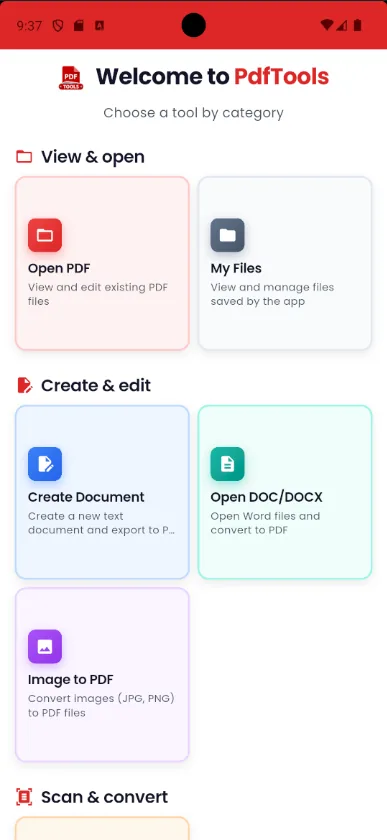
Need to send a photo of a document, a receipt or an assignment as a PDF? In Pdf Tools, the Image to PDF option opens the editor: you insert photos from the gallery or take them with the camera, then export everything as a PDF.
Because it is an editor, you can also type a title, a note or the name of each document between the images. Everything happens on the device.
When to use it
- An application asks for a document as a PDF and all you have is a photo.
- You want to put photos of receipts or invoices into one file for an expense report.
- You need to hand in a photographed school assignment as a PDF.
- You want to add some text explaining each image.
How to do it, step by step
- Open Pdf Tools and tap Image to PDF.
- Insert the first photo from the gallery or the camera.
- Repeat for each image and, if you like, type text between them.
- Export as PDF and share.
Why do it with Pdf Tools
- Photos from gallery or camera
- Text alongside the images
- No upload and no internet
- Free and ad-free
Phone app vs. PDF website
| Pdf Tools (app) | PDF websites, in general | |
|---|---|---|
| File upload | No: everything happens on the device | The file is uploaded to the site's server |
| Internet | Not needed | Needed for the whole process |
| Ads | None | Varies from site to site |
| Sign-up | Not required | Some require it for extra features |
| Usage limits | No daily limit | Many limit use on the free plan |
Images are added to the document one at a time. You cannot select several photos at once. If the PDF ends up large, use Compress PDF afterwards.
Frequently asked questions
How do I turn a photo into a PDF on my phone?
In Pdf Tools, tap Image to PDF, insert the photos from the gallery or camera and export as PDF.
Can I select several photos at once?
No. Images are inserted into the editor one at a time.
Which image formats are supported?
JPG, PNG, GIF and WebP.
The PDF is too big. How do I make it smaller?
Use Compress PDF, which reduces the size of PDFs with photos.
Get Pdf Tools for free
No ads, no sign-up and no uploading your files to the internet.
Get it on Google Play